•
Onton Team
Starting the school year is stressful enough without also having to stuff your whole life into a tiny room. And I completely get it. I moved into my freshman dorm almost two years ago, and I wish I'd been just a little savvier about decorating. Instead of planning it out, I did everything in one afternoon at Target. A good chunk of those purchases were impulse buys. I thought I needed them at the time but it's now just sitting in a sad corner of my closet.
I had a few Instagram screenshots and Pinterest saves that were references of what I'd wanted but it was so hard to replicate that into my own room. So eventually I accepted the monstrosity I created and lived with the itch of it not being what I wanted.
Here's exactly how I'd plan and decorate a dorm room now, using AI to see the whole thing before I spend a dollar. From someone who knows the pain of bad dorm design all too well, this is the step-by-step that would have made move-in a hundred times easier.
How to design a dorm room with AI, step by step
Go to onton.com/canvas
This is Onton's visual workspace. This is where you'll build and shop your room in one place.
Upload a photo of your empty dorm room
A picture from move-in day or a shot from your housing tour both work. The emptier the better.
Click the photo, then hit "Imagine"
Describe whatever you're picturing, whether that's "hot pink, leopard print, early 2000s" or "calm room with a blue and cream color scheme." Not sure how to put it into words? Simply just pick from the "Style" dropdown. Onton will render your image based on whatever you specify.
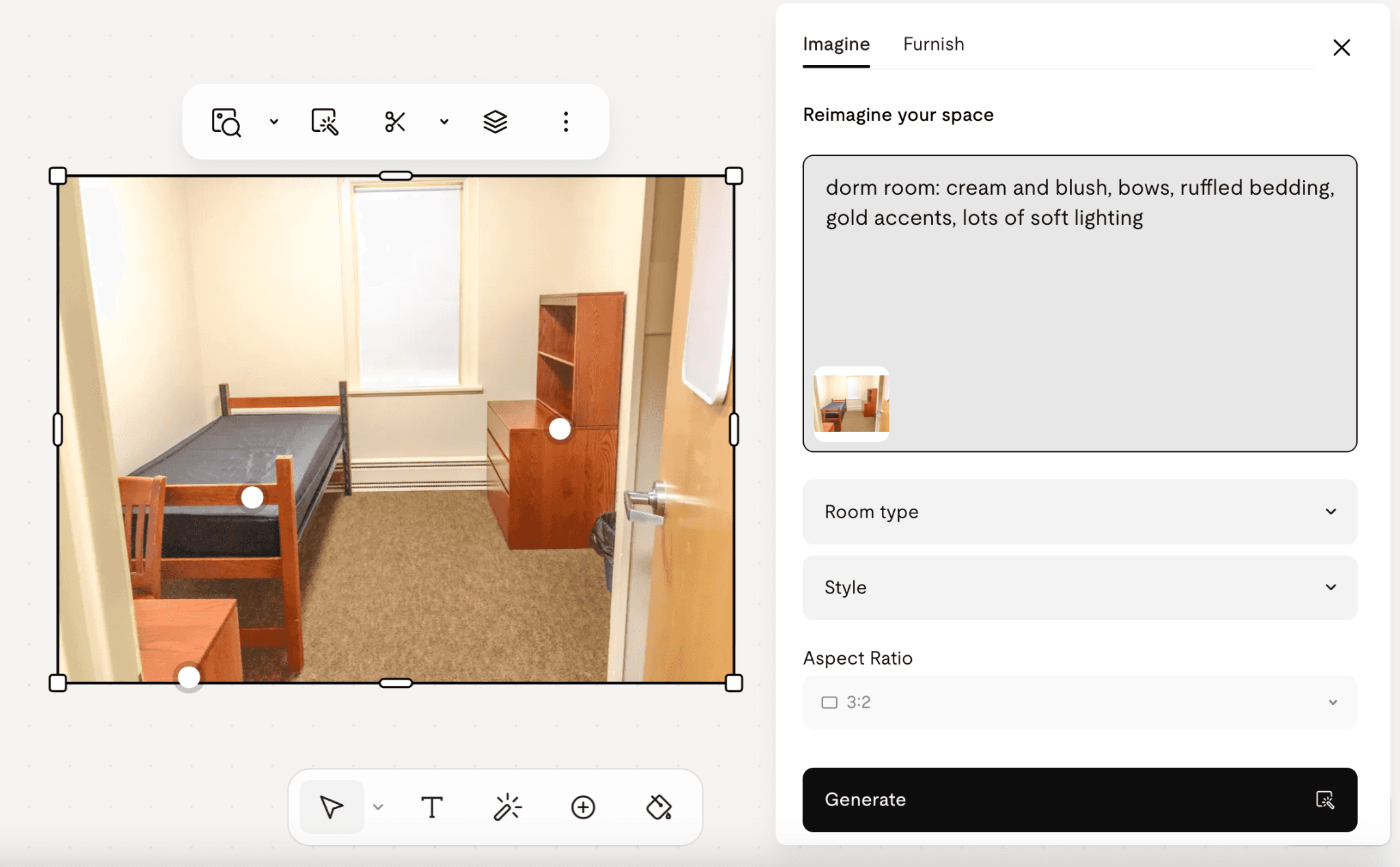
One tip that makes a big difference: mention that it's a dorm room in your description. Onton will know to keep existing furniture in place and decorate around it, without swapping your bed and desk for something else.
Press "Generate" and watch your empty room turn into the space you've been picturing
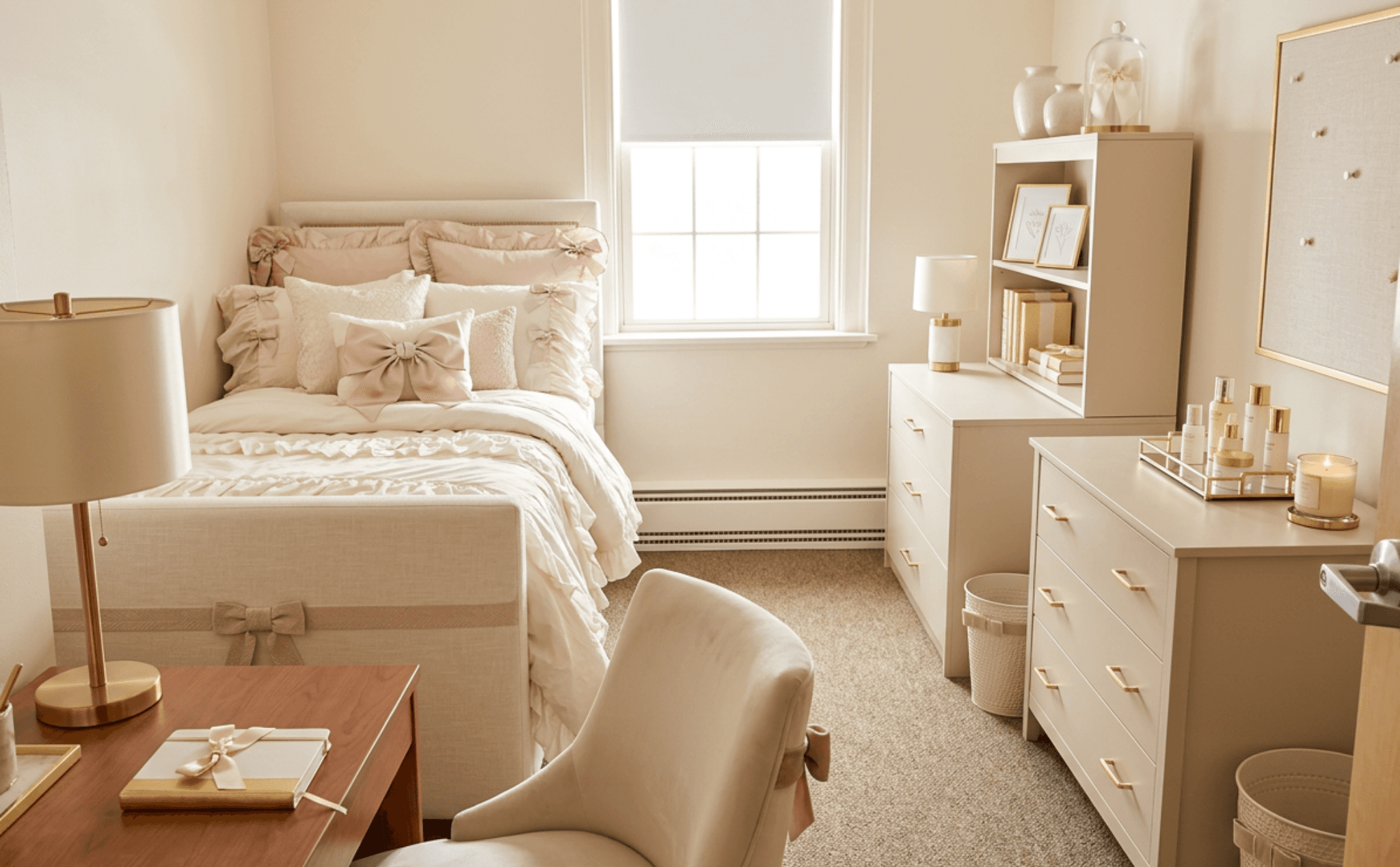
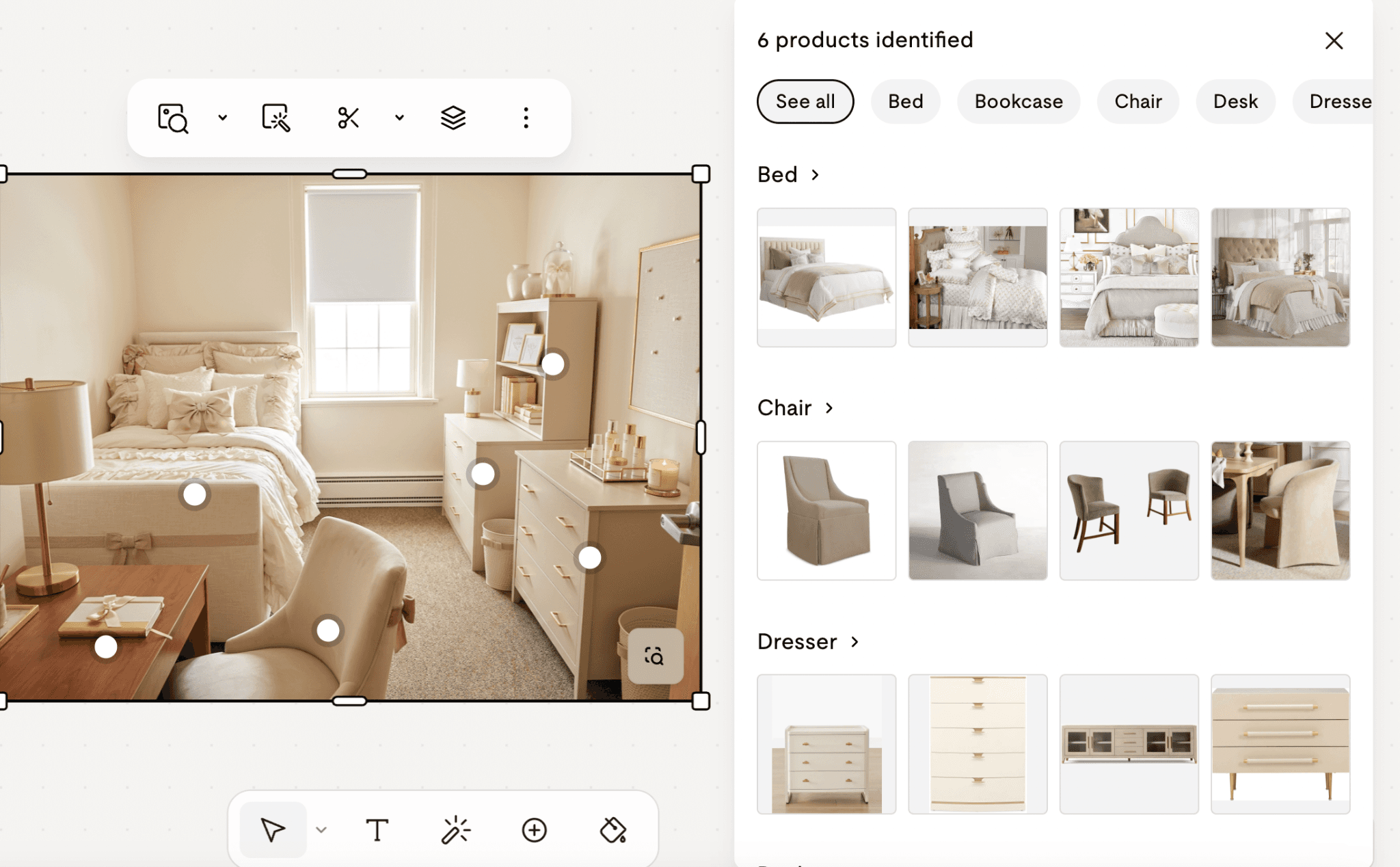
Shop straight from the image
Use the object detection feature to tap any item in the render and Onton will show exact or close matches to the item. To zone into an item, use "Crop to Search."
Missing something and not sure what?
Click the search bar at the top of the canvas and describe it using Ontology 1 mode. Ontology 1 reads your whole canvas, works out what you're actually going for, and curates a personalized list based on everything you've put in, so the results match your room instead of a generic search.

Save everything you love to a list.
That keeps your picks in one spot, makes it easy to compare against your budget, and means you're not digging through twelve tabs on move-in day.
Dorm room design ideas by style
The fastest way to a room that feels like you is to name the aesthetic first, then build toward it. When you use "Imagine," the more specific your prompt, the better the result. A few directions students reach for, with prompts you can borrow:
Coquette / soft feminine: "cream and blush, bows, ruffled bedding, gold accents, lots of soft lighting"
Dark academia: "deep green and warm brown, vintage books, brass lamp, moody and cozy"
Y2K / 2000s revival: "hot pink and lime, inflatable-chair energy, playful and glossy"
Minimalist / clean girl: "white, oatmeal, and sage, simple lines, a few plants, nothing cluttered"
Boho: "warm neutrals, woven textures, terracotta, layered rugs, plants everywhere"
Cool-toned calm: "blue and grey color scheme, soft and airy, easy to relax in"
You don't have to commit on the first try. Generate a few versions and let the room tell you which direction actually feels right.
Dorm room essentials checklist
Some things every dorm needs, no matter your style. Build your look around these, then add the decor that makes it yours:
Category | What to get |
Sleep | Mattress topper, sheet set, comforter or duvet, two pillows |
Storage | Under-bed bins, closet organizers, a small dresser or cart |
Desk | Task lamp, desk organizer, a comfortable chair cushion (and if the desk doubles as your only workspace, small bedroom-office combo ideas help with the layout) |
Lighting | Clip or string lights, one small lamp |
Decor | Mirror, rug, wall art or tapestry, a couple of plants |
Everyday | Laundry hamper, mini trash can, hooks, a fan |
Drop any of these into the Onton search bar and you'll get real products across 200+ retailers, so you're comparing actual options instead of scrolling one store's stock.
FAQ
How do I design my dorm room?
Start with a photo of the empty room and a clear idea of the aesthetic you want. Upload the photo to a tool like Onton's Canvas, use "Imagine" to render your style directly onto your real room, then shop the pieces straight from the image. Seeing the finished space first means you buy what fits instead of guessing.
Can AI design a dorm room?
Yes. AI design tools let you upload a photo of your actual room and generate a decorated version in the style you describe, from Y2K to minimalist. Onton goes a step further by letting you shop real, in-stock products directly from the generated image.
How can I see what my dorm room will look like before I buy furniture?
Upload a photo of the room to Onton's canvas and use the "Imagine" feature to render your chosen style onto it. You'll see the space fully decorated before spending anything, which is the whole point: no more hoping a piece works out once it arrives.
What's the best app to design a dorm room?
Look for a tool that does both the visualizing and the shopping, so you're not bouncing between a mood board app and twelve retailer tabs. Onton renders your room and lets you buy the pieces from the same canvas, pulling products from 200-plus retailers.
How do I decorate a dorm room on a budget?
Plan the room before you buy so you skip the filler purchases that quietly drain the budget. Spend on the few pieces you use daily, like bedding and lighting, and let a tool that compares across many retailers find the affordable version of everything else.
Can I shop directly from an AI-designed room?
With Onton, yes. Tap any item in your generated room with object detection, use "Crop to Search" to find a match for a specific piece, or describe exactly what you want in Ontology 1 mode to get a curated list based on your whole canvas.
Related reading
Keep reading
Design guides, smarter shopping, and AI-powered ways to find what you love
