•
Onton Team
At some point in our shopping journeys, most of us have tried Google Lens to track down a piece of furniture or decor we loved somewhere. Sometimes it works and often it doesn’t. And before you know it, you’re 10 tabs deep again trying to identify what best suits your needs, juggling considerations like whether it’s within the right budget or has the right specs to fit in your space.
Contrary to this conventional belief, reverse image search fails for home decor and furniture because most tools are built to find where an image appears online, not to identify what product it shows. Photos are matched against images already available on the web. It does work effectively if you take a photo directly from the retailer, but not when you took the picture yourself, photographed a full room, or are hunting for a vintage or custom piece.
Below is a guide to when reverse image search actually works and a further breakdown of the workflow that can actually get you to the product you want.
Reasons why reverse image search fails
Your own photos have nothing to match against
Reverse image search compares your file to indexed files on the internet. In published testing by MeltFlex across 20 furniture pieces, Google Lens found the exact product only 40% of the time, and only worked when the photo was from a retailer or magazine. If you took the photo yourself, accuracy drops to near zero.
Full-room photos confuse the model
Feed it a full room and the tool has to guess which object you are asking it to find. Giving it a full room forces it to pick the most prominent object and ignore everything else. When the image includes multiple objects, strong shadows, or decorative clutter, conventional reverse image search can't determine what the target item actually is. Those characteristics manifest in editorial photographs, typically the most inspiring, desirable rooms for search. The ones we shop for look by look. Unfortunately, because they are so heavily staged, it is near impossible to search for any items in them.
Generic, vintage, and custom pieces have no clean match
Custom and vintage furniture is rarely listed online at all, so there's simply nothing for reverse image tools to find. On the other hand, generic mass-produced pieces have the opposite problem. Visually similar items like plain white tables or basic shelving make it hard for reverse image search engines to differentiate between hundreds of near-identical listings, making it nearly impossible to surface an exact match.
The difference between reverse image search vs. visual search
These two terms get used interchangeably, but they do completely different things.
Reverse image search finds the same image elsewhere on the web. It fails when the picture is unique. Imagine, you're at a cozy, vibey restaurant and want the same exact lamp, or you like the staging of a home on Zillow. Those aren't snapshots that have a file online for the model to match against, so it simply fails to return any results at all.
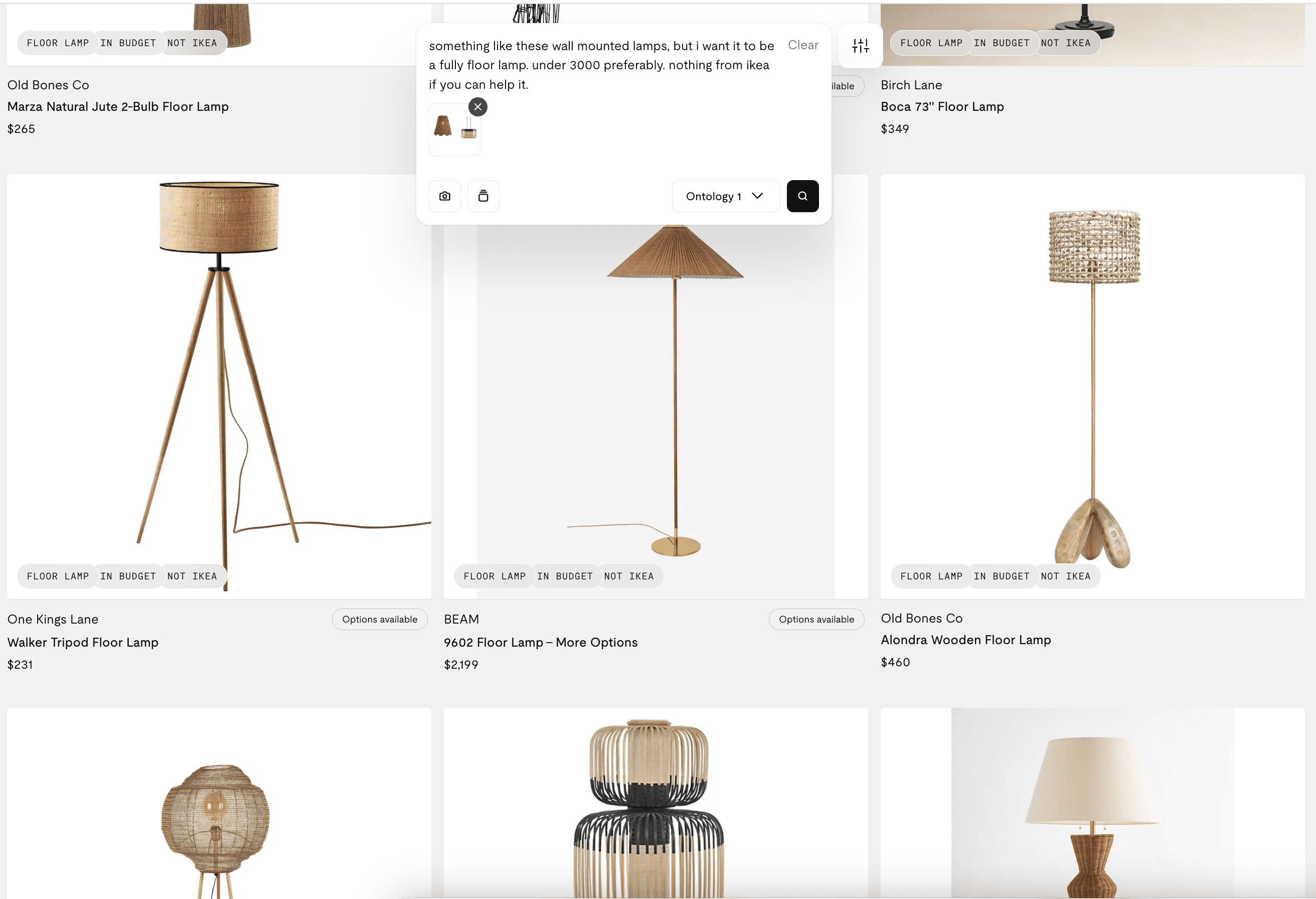
Visual search, on the other hand, finds visually similar products by analyzing the shape, material, color, and style in the image. So it works best in a more ambiguous scenario. This is the type of image search you want when shopping for home decor and furniture.
The workflow that actually works
Here's the sequence experienced shoppers and designers use.
Isolate down to one item. Crop tightly around a single piece. Isolating the object can dramatically improve the accuracy of your search.
Start with Google Lens for exact matches. It is the most accurate general tool for identification because it has access to the largest range of products.
If there is no exact match, try Pinterest, a visual search tool, to find pieces within the same aesthetic.
Verify before you buy. Make sure to match dimensions, materials, and hardware, not just the silhouette.
To collapse all the above steps, try Onton. A home decor and furniture specific product search engine. Images are matched against its 3M+ product catalogue. If no exact match exists, Onton will match to similar products across similar aesthetics, colors, and dimensions. You can further specify your requirements with text and input budget constraints, materials, room limitations to get exactly what you need.
Or try the entire AI shopping workflow. See the guide here.
How to search with the three different cases
"I have a photo of a whole room I love"
Single-item tools will only return the most prominent object. Use a tool with object detection that reads the entire scene and surfaces every piece at once. Onton was built for exactly this use case. Upload a room photo, and Onton will identify each individual item, and match them to a real, shoppable product from its catalog of verified products.
"I want a cheaper version"
Exact-match tools point you to the original, oftentimes expensive listing. To find alternatives, search for the specific attribute or style to find the product of the same shape and material at different price points — the same instinct behind effortless dupe hunting, whether you're after a cloud couch alternative or a lookalike lamp. Manufacturers frequently sell near-identical pieces to multiple retailers under different names, so widening your search from an exact match to something similar is what will surface the budget options.
"It's vintage or custom"
This is the trickiest because you likely won't find the exact item and it might not even be sold online. To find the closest alternative, try finding the closest match by the style and silhouette. And make sure to verify the product specs against the dimensions of your room.
Try Onton for your next visual product search
Upload any image: a product photo, an editorial shot, or a full room. Onton matches it across all of their 3M+ products across 200+ retailers to deliver the perfect result. No more 10 tabs deep, comparing prices and verifying dimensions. Onton aims to lower the bar for guesswork and get you to what you're looking for as quickly as possible.
FAQ
Does reverse image search work for furniture?
What is the best app to identify furniture from a photo?
Why can't Google Lens find my furniture?
What's the difference between reverse image search and visual search?
Can I search a whole room photo to find all the furniture in it?
How do I find a cheaper version of a piece of furniture I like?
Can you find vintage or custom furniture with image search?
Related reading
Keep reading
Design guides, smarter shopping, and AI-powered ways to find what you love
