•
Onton Team
As AI becomes more advanced, using it has increasingly become common practice in interior design. There are a myriad of tools out there that facilitate the process, generating room visuals and style directions from a photo of your space. If you know how to use it well, it’s great for helping you discover and refine your personal tastes and preferences. But using it poorly is where most people get stuck.
This guide will teach you exactly what to do to find your style and turn inspiration into reality. When you are finally ready to buy the real pieces, check out our full AI furniture shopping workflow.
What is AI interior design?
AI interior design involves using AI tools to visualize, plan, and refine your space when designing a home. Generally, it starts with you giving a tool your room, a description of the vibe you want, and it will generate some options based on its interpretation of your specifications.
It is important to distinguish that it is not meant to replace your own eye and taste. It is more like a brainstorming partner. It can show you many versions in seconds, rather than you having to scavenge for a Pinterest pin that matches the vision in your head. That’s the biggest advantage. You can have your vision implemented into your actual space, quickly, even if it is not perfect. For a better understanding of where this is heading, we broke down five ways AI can elevate your interior designs.
So, how do you actually use AI for interior design
This works well with any use case. Redoing a whole apartment to figuring out what to do with an empty corner.
Start from your actual space
Take a clear photo of the space with good lighting and upload it. This is where people usually have the most complaints with AI – the generation not reflecting the actual space. You have to feed the tool a picture of your room as an anchor to keep designs as grounded to reality as possible.
Describe the look in plain language
No complicated or sophisticated design vocabulary is needed here. Describe exactly how you would to a friend. For example, “cozy but not cluttered, warm woods, nothing beige.” The more you say, the closer the output lands. For something that fits the bill, head to Onton Imagine, upload your photo, and describe what you are going for. If you are not sure how to put it into words yet, there is a style dropdown you can pull from to get moving.
Generate and read the renders
Imagine runs on one of the most advanced image models available, so the renders come back photorealistic instead of the plasticky AI look you may have seen elsewhere. Generate a few (all for free) and treat them as a suggestion. You are looking for what resonates with you.
Refine by iterating
This is where your own design input is important. Adjust your prompt based on what returned. Maybe it looks too busy, maybe you like the sofa but not the rug. Let your thoughts be known and regenerate. Or try something outside of your comfort zone with different styles from the dropdown. Each pass should get closer to the room that you actually want.
Read the palette, proportion, and layout
Once you have a couple of renders you love, identify what the underlying decisions were in it. Was it the color? Where does your eye land first? What are the specific textures or decor placements that are most appealing to you?
Once you’ve locked the look, you need to find real furniture that matches it. This is a different job with different tools. See our full AI furniture shopping workflow to see how you can go from render to reality.
How to find your interior design style with AI
Probably the most common question that people start with is “what do I even like?” AI is great for this and lets you explore quickly and cheaply.
Generate a variety of renders, then narrow
Run your room through several style presets. See your space in mid-century, or bohemian, then as cottagecore is the best way to figure out where tastes lie.
Describe rooms you already love
Have a picture from Instagram or Pinterest that you love? Describe that room and see if that translates to your room. Sometimes, a certain design might not look good elsewhere, but can struggle in your space.
Watch for common themes and patterns
After generating many renders, notice the common themes and patterns that resonate with you. Is it a material, a color palette, a piece of furniture? That pattern is your style, and now you can name it.
AI interior design ideas by room
Some prompts for you start with.
Living room
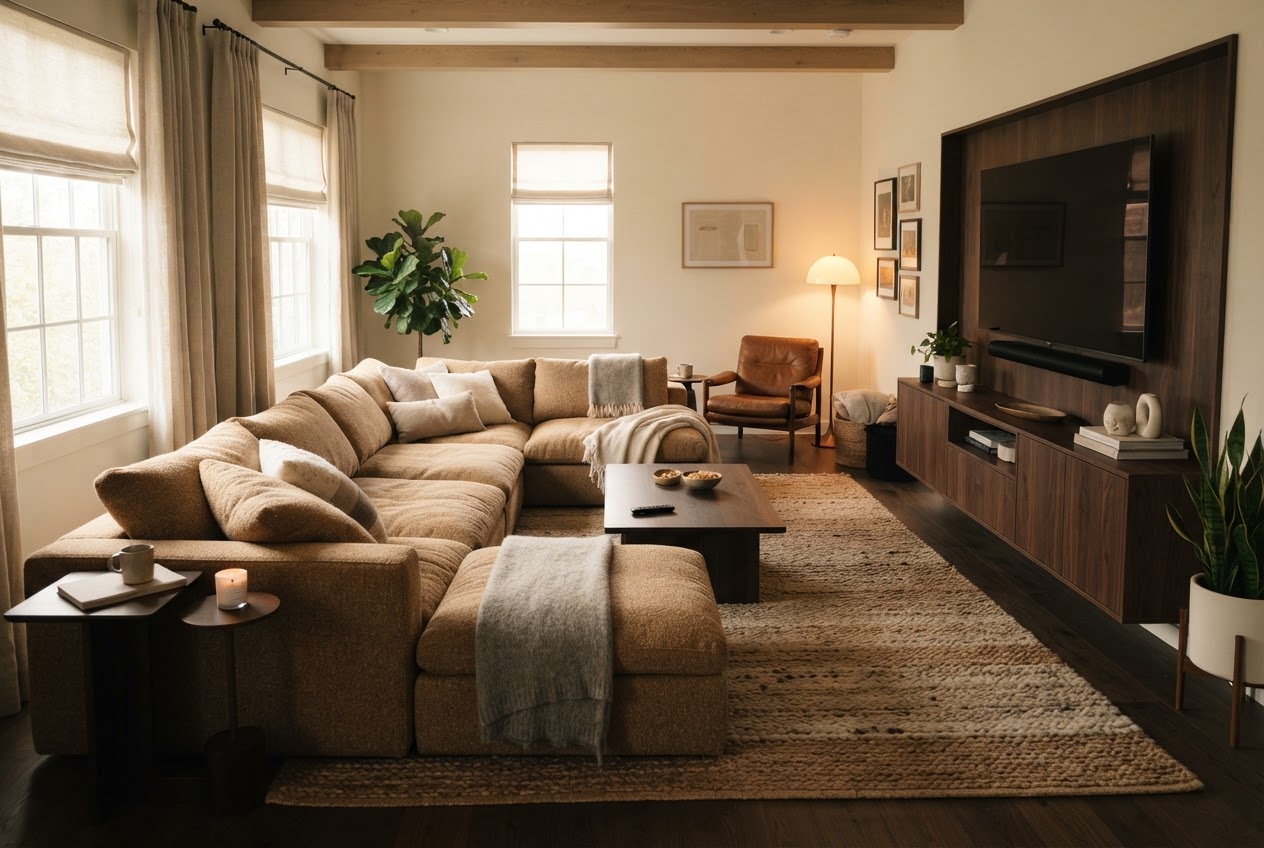
“Warm, low-profile, made for movie nights, seats give”
Bedroom

“Calm, layered, hotel-at-night, deep greens”
Small spaces
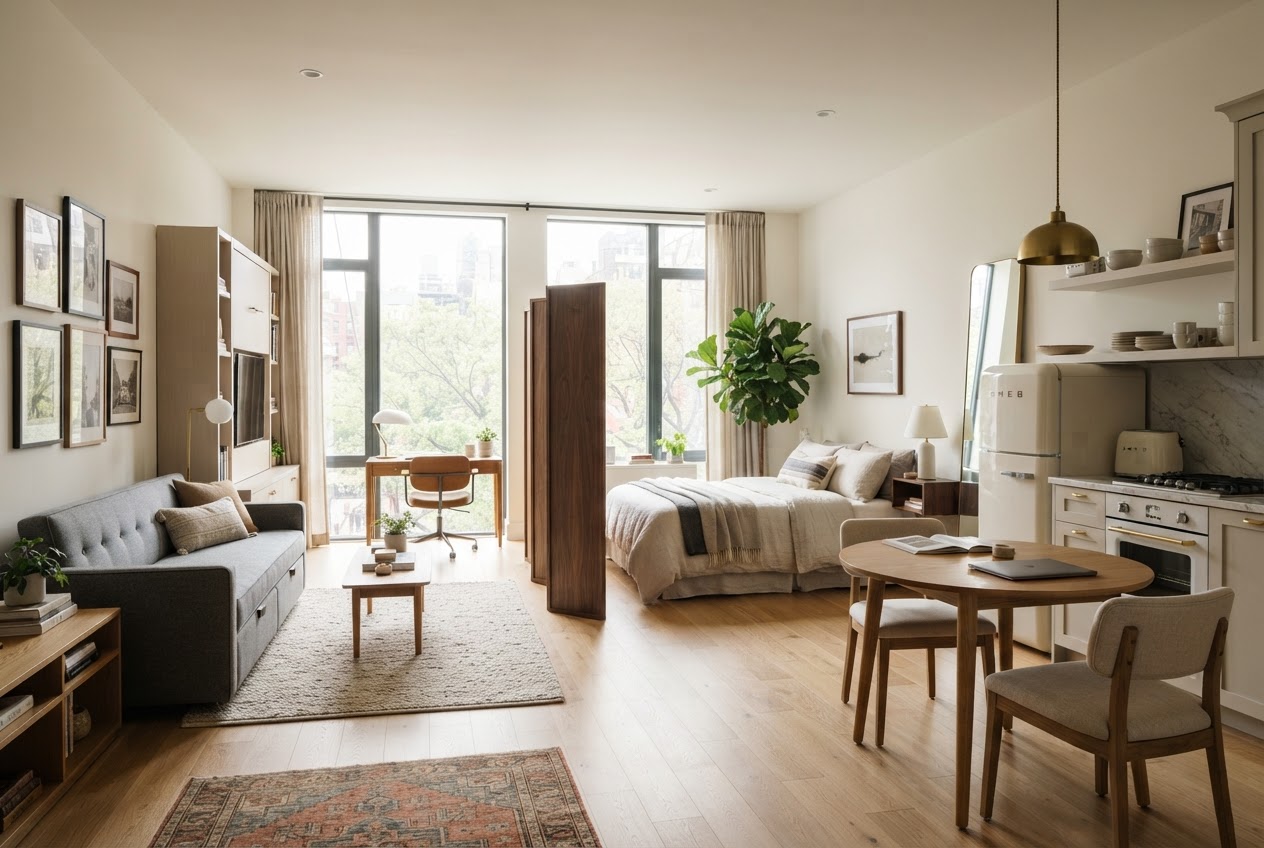
“Studio, needs to feel open, double-duty furniture”
Dorm room

“Y2k, small footprint, needs to be highly functional”
We also have a dedicated walkthrough on AI dorm room design if that is your project.
Where most AI tools quietly fail
This is the part that is seldom talked about. Most AI “design” and “recommendation” tools work against you in ways that are easy to miss. AI chatbots like ChatGPT and Gemini serve manipulated answers. When asking a general chatbot for product picks, you often get results shaped by whatever content is ranked highest on the web, which means SEO-gamed listicles and pay-to-rank placements. The chatbot is often repeating the most optimized content rather than the best product for you.
With image generators, they often hallucinate furniture and room details that do not exist. A pretty render isn’t always practical because it doesn’t give people a place to start. If you find a couch you like from a render, where can you even find it? Reverse image search like Google or Pinterest Lens doesn’t work best for furniture. In fact, Google Lens finds furniture only 40% of the time.
The takeaway here isn’t necessarily that “AI is bad.” It is that, general tools are built to be general, whereas shopping for furniture requires specificity and precision. This is why Onton exists as a home decor and furniture oriented tool, not just a general chatbot.
The takeaway is not "AI is bad." It is that general tools are built to be general, and furniture is a domain that punishes generality. This is the reason Onton exists as a purpose-built system rather than a chatbot wrapper.
What actually powers Onton
The missing portion in existing AI interior design tools is that generated renders don’t connect you to real products. With Onton, you can search for products using our search engine that is powered by a powerful layer of neurosymbolic AI. Instead of matching keywords and returning you results filled with ads, Onton reasons over real product attributes and gets smarter the more it is used. It is also multimodal, meaning you can search in plain English, with an image, or both. We published this Ontology 1 research showing exactly how and why it outperforms conventional product search. This is the antidote to the problems a lot of search engines are riddled with. We show you results that fits your needs, not results that rank.
With Imagine, you can shop straight from a generated render. After an image is generated, click ‘Shop the Image’ and Onton’s object detection reads the room, identifies each piece, and matches them to real products across our catalog of 3M+ home decor and furniture items from our list of 200+ verified retailers. You can also find furniture from any photo, a Pinterest pin, a hotel lobby, or a screenshot.
On top of that, we also have some fun Surfaces that power the experience. You can save products that you like into Lists. Organize them by room or project and share them with a partner, roommate, or client to decide together. It is what replaces the problem of twenty open tabs or a long spreadsheet. Canvas is our infinite board for you to design on. You can drag in products, upload inspiration photos and shots of your actual room, and pull in the renders generated in Imagine. You can run Imagine directly on Canvas, search from the board itself, and drag pieces around to test how they play together. Visit docs.onton.com for a tutorial on how to get started.
To see your entire space reimagined, start with Onton Imagine, or explore other tools at onton.com.
FAQ
Can AI design a whole room?
It can generate a full-room design direction from your photo and prompt, and it is genuinely good at that. It cannot verify that every piece is real, in stock, and sized for your space. Use it to lock the look, then use a product-grounded tool to find the real pieces.
Can AI help me figure out my style?
Yes, and this is one of its best uses. Running your room through several styles and watching which renders you keep returning to is the fastest way to discover what you actually like.
Can AI design around furniture I already own?
Start from a photo of your real room with those pieces in it, and describe what you want to change. Grounding the render in your actual space keeps what you are keeping in the picture.
Is AI interior design free?
You can start designing in Onton Imagine at no cost. Generate renders, explore styles, and build a Canvas before committing to anything.
Is AI interior design any good?
For ideation, visualization, and finding your style, it is a genuine time-saver. For finding and buying real products, general AI tools fall short, which is why the search and matching side needs a purpose-built system like Ontology 1.
Related reading
Keep reading
Design guides, smarter shopping, and AI-powered ways to find what you love
